Eligibility
Before you begin
Prerequisites
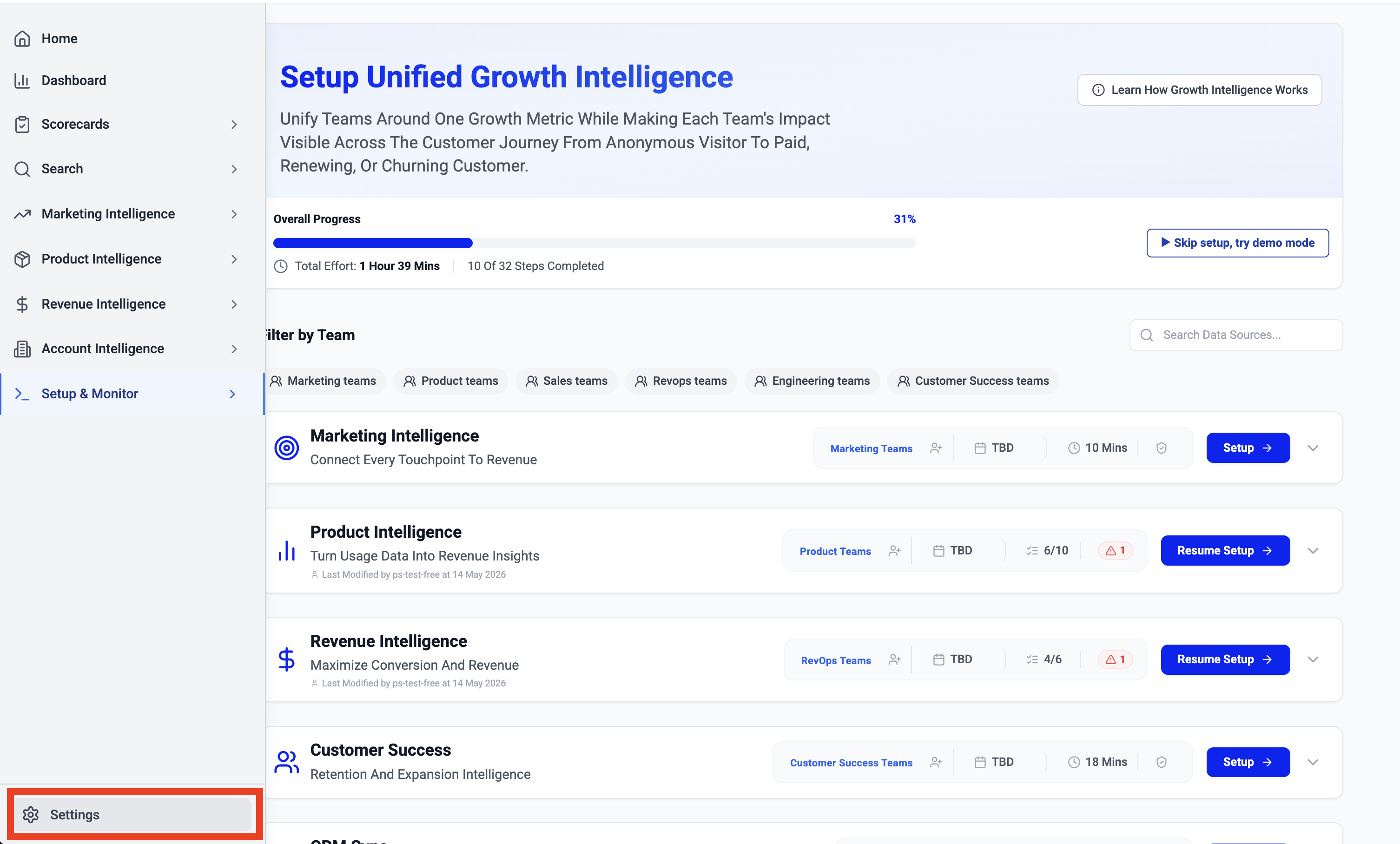
1 Go to Settings
Click Settings from the bottom of the left navigation panel.
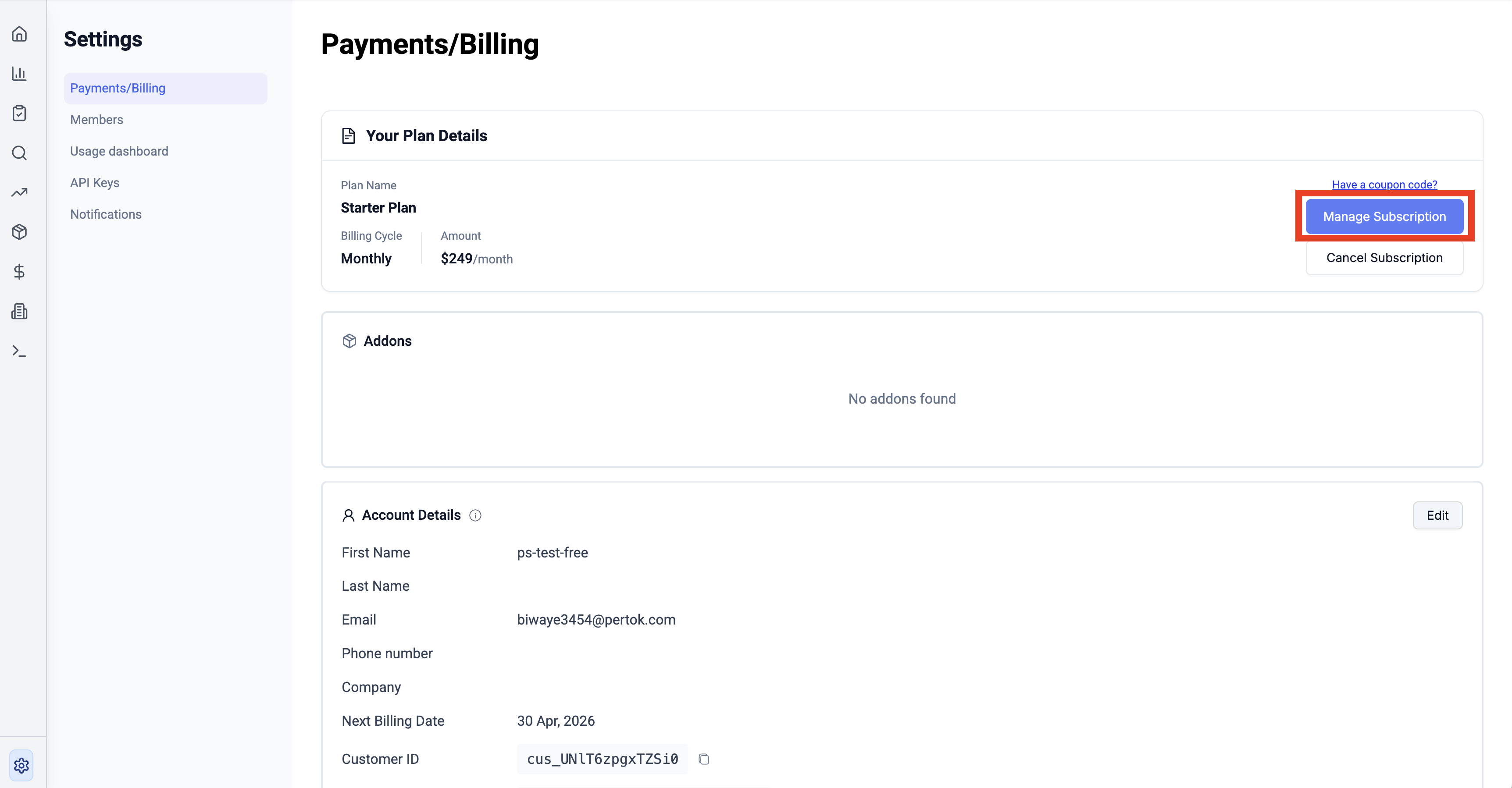
2 Click "Manage Subscription"
On the Payments/Billing page, click Manage Subscription to view available plans.
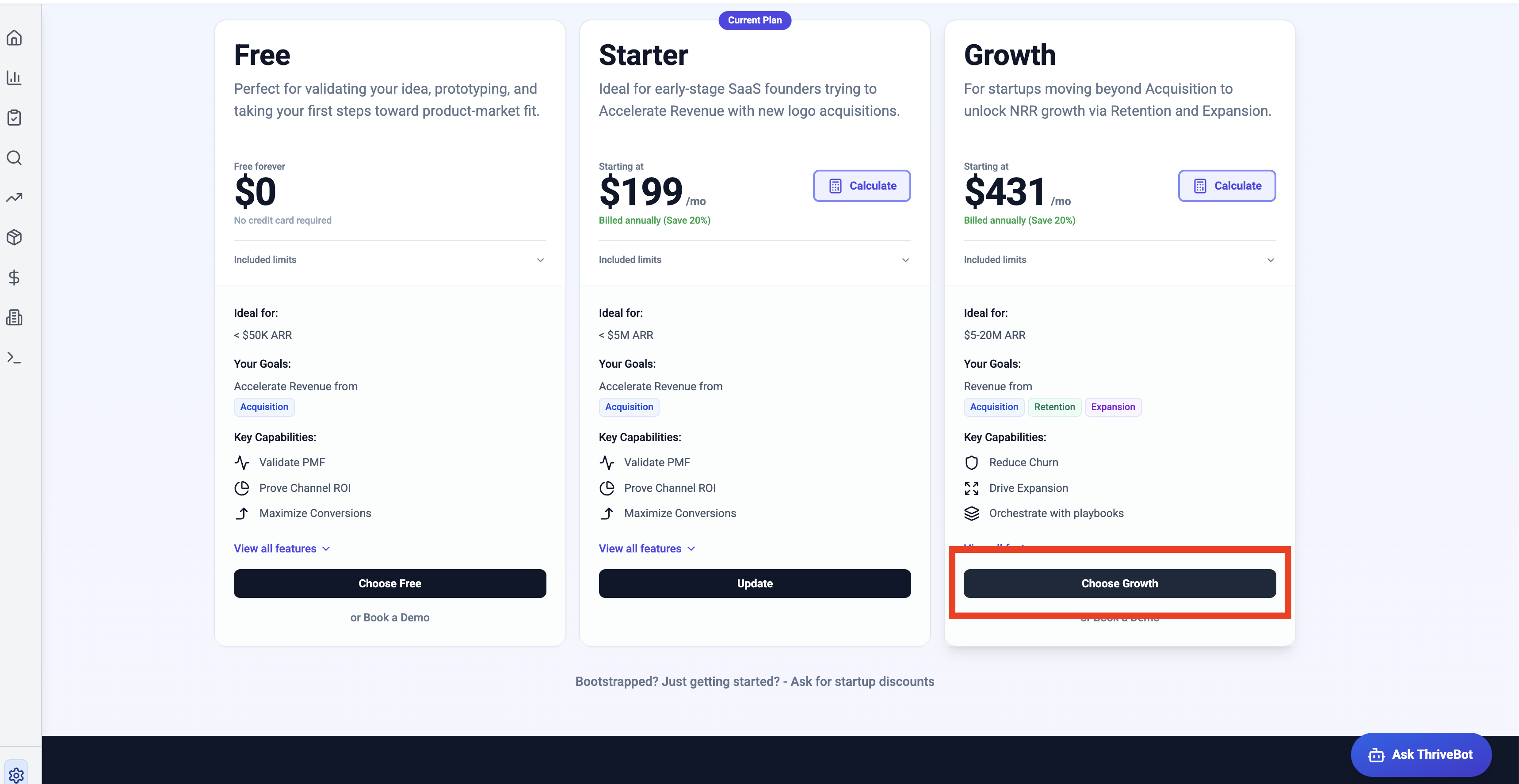
3 Select the Growth Plan
Review the available plans and click Choose Growth to select the Growth plan.
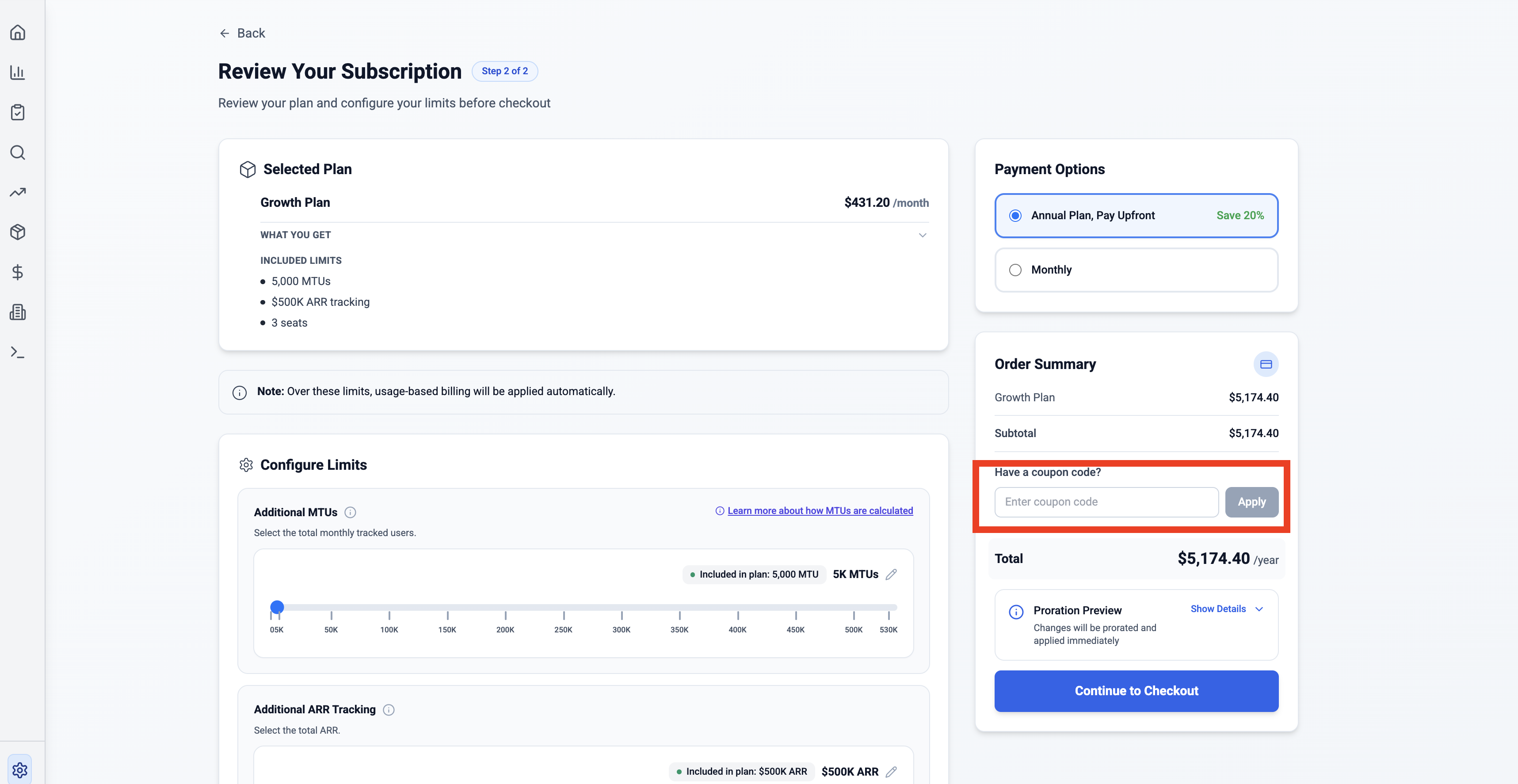
4 Apply a Coupon (optional)
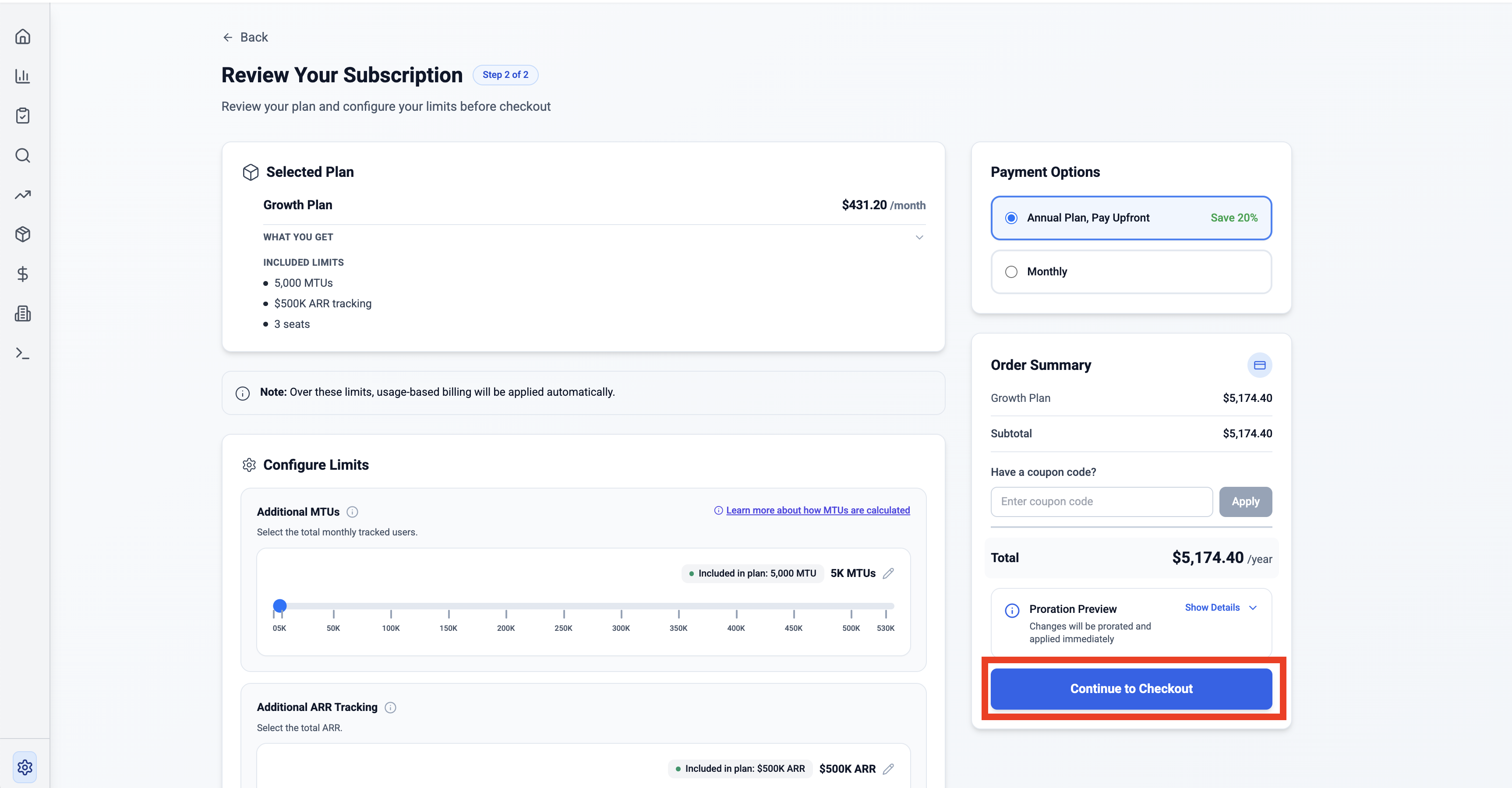
On the Review Your Subscription page, enter your coupon code in the Have a coupon code? field and click Apply.
5 Continue to Checkout
Click Continue to Checkout and add your card details to complete the payment.
For any queries, write to support@thrivestack.ai